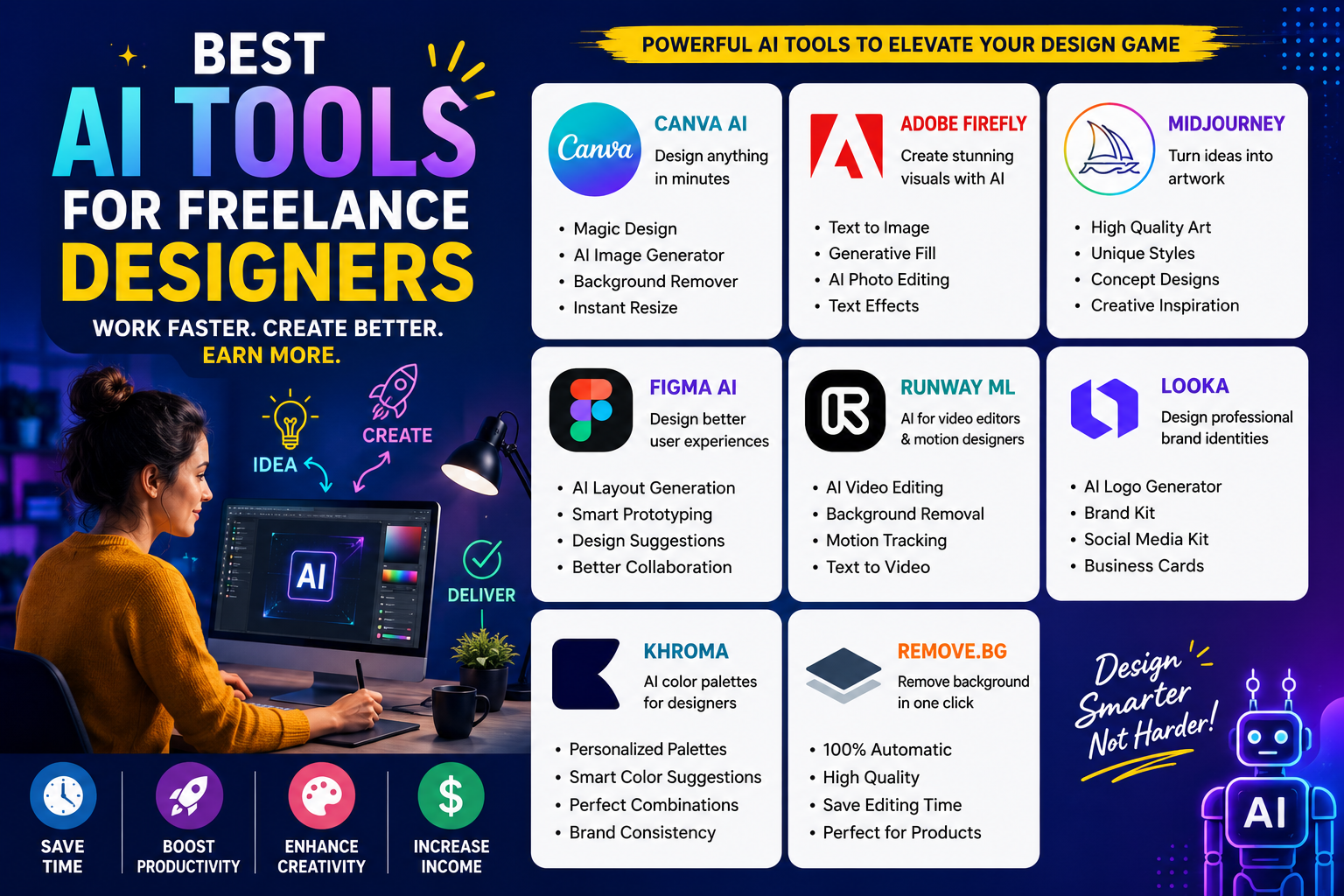
The freelance design industry is evolving rapidly with Artificial Intelligence becoming a major productivity booster. Today, designers are no longer spending hours creating repetitive layouts, removing backgrounds, or brainstorming concepts manually. AI tools are helping freelancers work faster, deliver better quality, and manage more clients efficiently.
Whether you are a graphic designer, UI/UX expert, branding specialist, or social media creator, AI tools can help you save time while improving creativity and workflow.
In this guide, we’ll explore the best AI tools for freelance designers, their features, use cases, and how they can help you grow your freelance career.
Why Freelance Designers Should Use AI Tools
AI tools are not replacing designers — they are enhancing productivity. Designers who know how to combine creativity with AI automation can complete projects faster and scale their freelance income.
Key Benefits of AI Tools for Designers
- Faster content creation
- Improved design workflows
- Better client delivery speed
- Automated repetitive tasks
- Creative inspiration and ideation
- Cost-effective design solutions
AI allows freelancers to focus more on creativity and strategy instead of manual editing work.
Top AI Tools for Freelance Designers
1. Canva AI
Canva has become one of the most popular design platforms for freelancers. Its AI-powered features help create social media posts, presentations, logos, and marketing creatives within minutes.
Best Features
- Magic Design suggestions
- AI image generator
- Background remover
- Instant resizing
- Brand kit management
Best For
- Social media designers
- Beginner freelancers
- Marketing creatives
2. Adobe Firefly
Adobe Firefly is a powerful generative AI tool integrated into Adobe’s ecosystem. It helps designers generate visuals, text effects, and creative assets quickly.
Key Features
- Text-to-image generation
- AI-powered photo editing
- Generative fill
- Typography effects
Best For
- Professional graphic designers
- Branding experts
- Creative agencies
3. Midjourney
Midjourney is one of the most advanced AI image generation tools for creating artistic and visually stunning graphics.
Why Designers Love It
- High-quality AI artwork
- Concept design generation
- Mood boards and inspiration
- Unique visual styles
Ideal For
- Digital artists
- Creative illustrators
- Branding projects
Comparison Table of Popular AI Design Tools
| AI Tool | Best For | Key Feature | Skill Level |
|---|---|---|---|
| Canva AI | Social media graphics | Easy templates | Beginner |
| Adobe Firefly | Professional design | Generative editing | Intermediate |
| Midjourney | AI artwork | Artistic visuals | Intermediate |
| Figma AI | UI/UX design | Interface automation | Professional |
| Runway ML | Video editing | AI video tools | Intermediate |
4. Figma AI
Figma AI is transforming UI/UX workflows by helping designers automate wireframes, layouts, and design suggestions.
Features
- Smart layout generation
- AI prototyping
- Collaborative workflows
- Faster UI design process
Best For
- UI/UX freelancers
- App designers
- Website prototyping
Figma AI helps reduce repetitive design tasks while improving collaboration with clients and teams.
5. Runway ML
Runway ML is becoming highly popular among video editors and motion designers.
What It Offers
- AI video editing
- Background removal
- Motion tracking
- Text-to-video generation
Perfect For
- Freelance video editors
- Reel creators
- YouTube content creators
This tool helps designers create professional-quality videos without advanced editing expertise.
6. Looka
Looka is an AI-powered branding tool that generates logos and brand identities instantly.
Key Features
- AI logo generator
- Brand kit creation
- Social media branding
- Business card templates
Best For
- Branding freelancers
- Startup identity creation
- Small business clients
7. Khroma
Choosing the right color palette can take time. Khroma uses AI to generate personalized color combinations based on user preferences.
Benefits
- Smart color suggestions
- Personalized palettes
- Faster branding decisions
Best For
- Brand designers
- UI designers
- Creative artists
8. Remove.bg
This simple yet powerful AI tool automatically removes image backgrounds within seconds.
Why Freelancers Use It
- Saves editing time
- Easy product image creation
- Great for ecommerce clients
Best For
- Ecommerce creatives
- Social media designers
- Product marketers
How AI Tools Help Freelancers Earn More
Using AI tools increases productivity, allowing freelancers to:
- Handle multiple clients
- Deliver projects faster
- Improve portfolio quality
- Reduce manual workload
- Offer additional services
For example, a designer using AI for social media graphics can complete work 3x faster compared to traditional workflows.
Best AI Tools Based on Freelance Niche
| Freelance Niche | Recommended AI Tool |
|---|---|
| Graphic Design | Canva AI, Adobe Firefly |
| UI/UX Design | Figma AI |
| Video Editing | Runway ML |
| Branding | Looka, Khroma |
| Social Media | Canva AI |
| Illustration | Midjourney |
Tips for Freelance Designers Using AI
1. Use AI as an Assistant: AI should support your creativity, not completely replace your design thinking.
2. Customize AI Outputs: Never deliver raw AI-generated content without editing and personalization.
3. Build a Strong Portfolio: Showcase AI-assisted projects to attract modern clients.
4. Learn Prompt Writing: Better prompts generate better design results.
5. Stay Updated: AI tools evolve quickly, so continuous learning is essential.
Challenges of Using AI in Design
While AI tools are powerful, they also come with limitations.
Common Challenges
- Generic outputs
- Copyright concerns
- Overdependence on automation
- Lack of emotional creativity
Successful freelance designers combine AI efficiency with human creativity and storytelling.
Future of AI in Freelance Design
AI will continue transforming the creative industry in the coming years. Designers who adapt early will have a major advantage in:
- Faster workflows
- Better client acquisition
- Scalable freelance businesses
- High-demand AI design services
Clients are increasingly looking for designers who understand modern AI-powered workflows.
Final Thoughts
AI tools are reshaping the future of freelance design. From graphic creation and branding to UI/UX and video editing, these tools help designers work smarter and faster.
For beginners, AI reduces technical barriers. For experienced freelancers, it improves productivity and scalability.
The most successful designers in 2026 will not be those competing against AI — but those learning how to work alongside it.